HP Googlebook 14 Review: Great laptop, shame about the OS
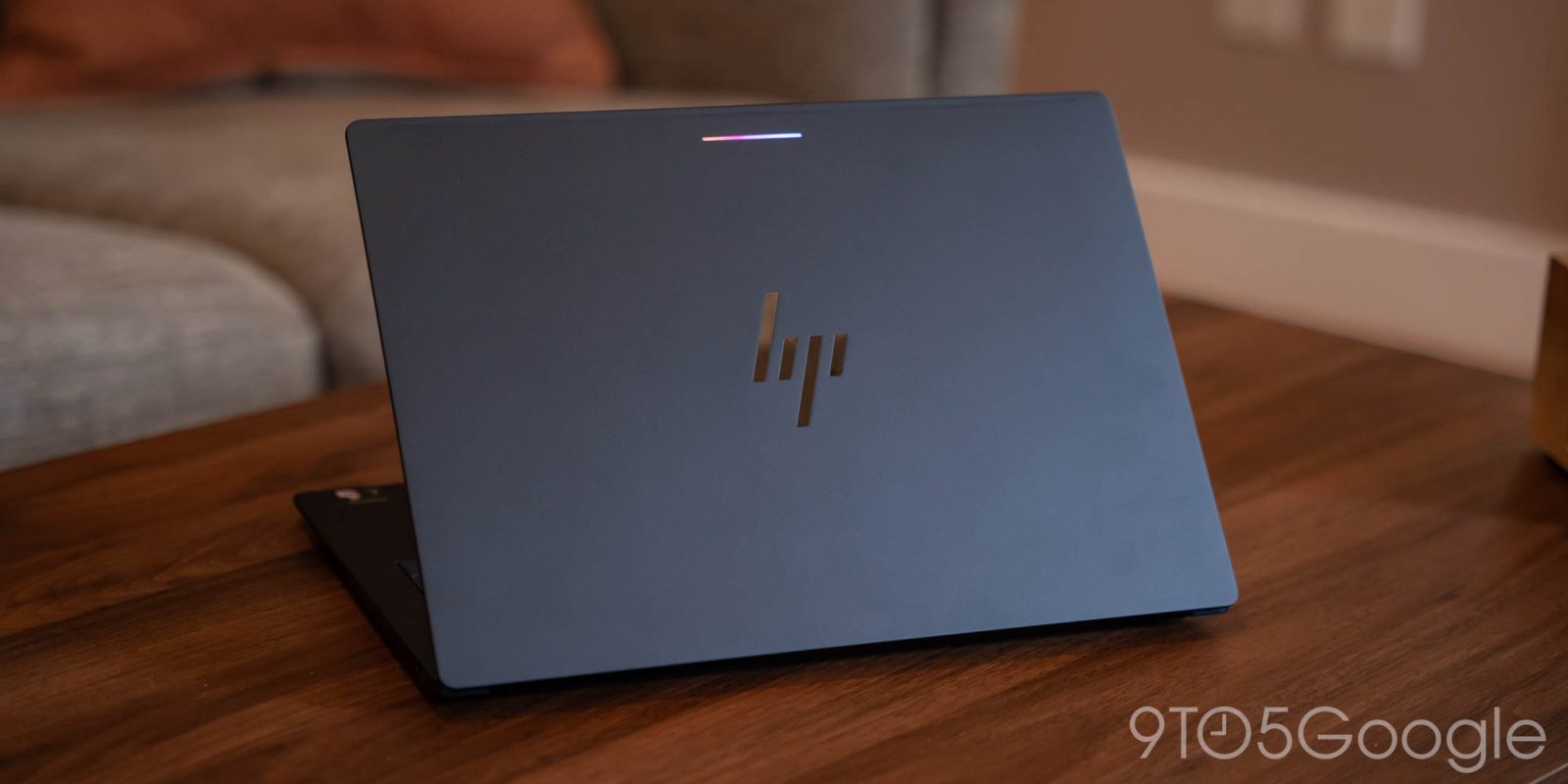
HP’s first attempt at a Googlebook laptop is a notable success, at least to the extent that the platform allows. While the Googlebook operating system has its shortcomings, the HP Googlebook 14 meets all the criteria for an excellent laptop.
Starting with the hardware, HP has crafted a commendable device. The design is understated, featuring sharp corners on the underside that aid in air circulation. There is also a sizable gap at the back for airflow, which almost feels like a handle when carrying the laptop. Although it differs from the sleek, flat design of a MacBook Air, I have grown to appreciate the design of the HP Googlebook 14 during my usage.
Build Quality and Keyboard
The laptop measures just 10.9mm in thickness and weighs 2.74lbs, despite an error on HP’s website that lists the weight incorrectly. The aluminum construction is robust, exhibiting minimal flex, and it generally passes the one-handed opening test.
The keyboard stands out as a significant highlight. Despite the thin profile, it offers substantial key travel and is very comfortable to type on. The keys produce a satisfying sound without being overly loud, making it suitable for public spaces. The key spacing is excellent, and the backlight is pleasant. It took only a few minutes to adjust to typing on it, although the keyboard shortcuts specific to Googlebook require some time to get used to. The function keys are mostly straightforward, but the icons for the fullscreen toggle (F4) and screenshot tool (F5) could be clearer, as the screenshot key is particularly vague.
Trackpad and Display
The trackpad is also commendable. While I still find Google’s push for premium haptic feedback in Googlebook’s initial release somewhat challenging, HP’s implementation feels slightly hollow. The trackpad’s placement near the spacebar might be problematic for some users, but I did not encounter any issues during my testing.
The 14-inch OLED display is stunning, offering crisp and vibrant colors, though I wish it were brighter for outdoor use. It performs well in most lighting conditions, as long as direct sunlight is avoided.
Battery Life and Performance
Battery life is satisfactory, though it does not quite match that of devices like the MacBook Air. This is somewhat disappointing given the inherent limitations of the Googlebook OS, but it is still a significant improvement compared to older laptops and is comparable to Snapdragon-powered Windows machines. Standby time is good, and having Android’s battery usage statistics readily available is a plus, especially since Windows lags behind in this area. Charging is quick, and I appreciate that HP includes a modern charger, although I often used my existing USB-C chargers during both home use and a recent trip.
Performance with the Snapdragon X Elite and 16GB of RAM is predictably excellent. Given that Googlebook is built on Android, it results in a fast machine. While I did encounter occasional hiccups, boot times are nearly instantaneous, and overall performance is commendable.
Software Limitations
While the HP Googlebook 14 possesses all the elements of a great laptop, the software ultimately detracts from the experience, as Googlebook OS presents several challenges.
My perspective on Googlebook is that it seems somewhat redundant in today’s landscape. Google has essentially rebuilt ChromeOS on a new foundation, which offers potential for the future but fails to address many existing issues. Like ChromeOS, Googlebook has a limited selection of desktop-class software, even more so considering the significant regression in Linux support. This limitation affects access to essential applications, particularly niche tools that have been developed for Windows, macOS, and Linux over the years. Googlebook seems to overlook this critical gap in functionality. The lack of support for emulating applications from other platforms further limits its usability, despite Google having the necessary tools to implement such features.
Google’s repeated assertion that this is a laptop for Android users feels increasingly hollow. In a world dominated by smartphones, integration between devices is desirable, but users typically seek laptops to perform tasks that their phones cannot. Currently, Googlebook does not significantly extend beyond the capabilities of a smartphone.
HP has done an excellent job of creating a solid laptop for Googlebook, but the software holds it back. Users would likely have a better experience with Windows or even Linux instead of Googlebook at this time. Given the rising costs of laptops, I cannot recommend investing $1,200 in a Googlebook when comparable Windows laptops or even MacBooks are available for the same price or less. There is simply no justification for sacrificing functionality at the same price point. Perhaps in the future, when Googlebook is available on more affordable hardware, the situation may change, but for now, it is less than ideal.
Source: 9to5Google